
Download DB Sensei – AI‑Powered Database Query Tool for Faster SQL Development
Overview – Why DB Sensei Is a Game‑Changer for SQL Developers
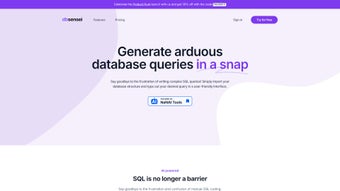
DB Sensei is an AI‑driven, browser‑based platform designed to streamline every stage of SQL development, from initial query brainstorming to final execution and documentation. In today’s data‑centric world, developers often spend a disproportionate amount of time writing boilerplate SELECT statements, hunting down missing joins, or deciphering cryptic error messages. DB Sensei tackles these pain points by offering a natural‑language interface that instantly translates plain English prompts into syntactically correct, optimized SQL. Whether you are a seasoned DBA managing complex enterprise data warehouses, a full‑stack engineer building data‑driven features, or a university student learning relational concepts, the tool adapts to your skill level and delivers results in seconds.
The core of DB Sensei’s intelligence lies in a large language model fine‑tuned on millions of real‑world queries. This model not only generates code but also learns from your feedback, gradually refining its suggestions to match your preferred style and performance criteria. The platform’s Query Fixer automatically scans any submitted SQL for syntax errors, missing relationships, and inefficient patterns, then proposes one‑click corrections. Complementing this, the Query Explainer breaks down each clause into plain English, highlights potential bottlenecks, and even surfaces alternative indexing strategies, turning a black‑box execution plan into an educational walkthrough.
Security and compliance are baked into the service from day one. All communications are encrypted with TLS 1.3, and stored query logs use AES‑256 encryption at rest. For organizations with strict data‑privacy mandates, the Enterprise tier provides optional on‑premise deployment or private‑cloud hosting, ensuring that sensitive business logic never leaves a controlled environment. With a 7‑day free trial, a 40 % student discount, and tiered pricing that scales from individual freelancers to large development teams, DB Sensei positions itself as an indispensable ally for anyone looking to boost productivity, reduce errors, and deepen their understanding of SQL.
Features, Installation & Compatibility – Getting Started and Making the Most of DB Sensei
Key Features (itemprop="featureList")
- AI‑Assisted Query Generation: Type natural‑language prompts and receive ready‑to‑run SQL for MySQL, PostgreSQL, SQL Server, SQLite, and Amazon Aurora.
- Query Fixer: Real‑time syntax validation, automatic join detection, and intelligent performance‑focused suggestions.
- Query Explainer: Human‑readable breakdown of each clause, execution‑plan insights, and indexing recommendations.
- Query Formatter: Automatic code beautification following industry‑standard style guides.
- Schema Import & Visualization: Drag‑and‑drop CSV, SQL dump, or direct DB connection to instantly map tables, relationships, and constraints.
- Versioned Query Logs: Complete history of queries, AI suggestions, and edits for audit trails or team collaboration.
- Collaboration Workspace: Share queries, comment inline, and manage permissions in real time.
- Secure Cloud Storage: End‑to‑end encryption, GDPR & CCPA compliance, and optional private VPC for enterprises.
- Flexible Subscription Plans: Starter, Professional, and Enterprise tiers with a free 7‑day trial and student discount.
Installation – Zero‑Click Onboarding
Because DB Sensei runs entirely in the cloud, there is no traditional software download or local installation required. Users simply create an account, connect or upload a database schema, and start using the AI tools within minutes. This zero‑install approach eliminates version‑conflict headaches and ensures you always work with the latest AI model.
- Sign Up & Activate Trial: Visit dbsensei.com, click “Start Free Trial,” confirm your email, and choose a plan. No credit card is needed for the 7‑day trial.
- Connect Your Database: From the dashboard, select “Add New Schema.” You can either:
- Enter connection details for MySQL, PostgreSQL, or SQL Server (host, port, credentials).
- Upload a .sql dump file containing CREATE TABLE statements.
- Drag a SQLite or CSV file that describes tables and columns.
- Visualize & Verify: DB Sensei parses the schema, generates an interactive ER diagram, and validates relationships. You can edit or annotate the diagram before proceeding.
- Start Querying: Navigate to the “AI Query Builder,” type a natural‑language request, and watch the platform produce a fully formed query. Use the “Fix” and “Explain” buttons to refine and understand the result.
- Collaborate: Invite teammates via email, assign read/write permissions, and comment directly on query lines. All changes are logged automatically.
Compatibility (itemprop="operatingSystem")
Since DB Sensei is a web application, it works on any modern operating system that supports Chrome, Firefox, Edge, or Safari. Whether you run Windows 10/11, macOS Monterey or later, a popular Linux distribution, or even a tablet running iOS or Android, you can access the full feature set without installing additional plugins. The responsive UI adapts to different screen sizes, allowing developers to work comfortably from a desktop workstation or a mobile device while on the go.
For enterprises with strict data‑residency requirements, the Enterprise tier offers on‑premise or private‑cloud deployments, ensuring the same browser‑based experience while keeping all data behind your firewall.
Pros, Cons & Frequently Asked Questions – A Balanced Evaluation
Pros
- AI‑driven automation: Generates accurate SQL from plain English, cutting development time dramatically.
- Real‑time error fixing: Query Fixer catches syntax and logical errors before they reach production.
- Educational value: Query Explainer turns complex statements into understandable narratives, ideal for learning.
- Cross‑platform access: Runs in any modern browser on Windows, macOS, Linux, iOS, and Android.
- Collaboration tools: Shared workspaces, inline comments, and versioned logs streamline team workflows.
- Secure and compliant: TLS 1.3, AES‑256 at rest, GDPR/CCPA/ISO 27001 adherence.
- Flexible pricing: Free trial, student discount, and tiered plans for individuals and enterprises.
Cons
- Internet dependency: Requires a stable connection; offline usage is not supported.
- Learning curve for AI prompts: Users need to experiment to craft optimal natural‑language queries.
- Limited on‑premise option: Private deployment is only available in the higher‑priced Enterprise tier.
- Feature richness can overwhelm beginners: The extensive toolbox may feel intimidating for new SQL learners.
Frequently Asked Questions (FAQ)
Can I use DB Sensei with a local SQLite database?
Yes. DB Sensei supports SQLite file uploads. Drag the .sqlite file into the schema import area, and the platform will read tables, indexes, and relationships for AI‑assisted query generation.
Is there a way to export my queries to a .sql file?
Absolutely. After finalizing a query, click the “Export” button to download the SQL code as a .sql file, ready for version control or deployment scripts.
How secure is my data when I store query logs in the cloud?
All data transmission uses TLS 1.3, and query logs are encrypted at rest with AES‑256. DB Sensei complies with GDPR, CCPA, and ISO 27001. Enterprise customers can request a private VPC for additional isolation.
Can I integrate DB Sensei with my CI/CD pipeline?
The Enterprise plan offers RESTful APIs that let you programmatically generate, format, and validate queries, enabling integration with automated testing or deployment workflows.
What happens after the free trial ends?
When the 7‑day trial expires, you are prompted to select a paid tier or downgrade to a free “Starter” plan with limited AI calls per month. Your existing queries and logs remain accessible, so you never lose work.
Conclusion – Why DB Sensei Is Worth Your Time and Money
In a landscape where data engineers are constantly juggling performance, correctness, and documentation, DB Sensei delivers a unified experience that addresses each of these challenges with AI‑powered precision. By turning natural language into production‑ready SQL, automatically fixing mistakes, and providing step‑by‑step explanations, the platform not only accelerates development cycles but also serves as an on‑demand tutor for anyone seeking to master relational databases. Its browser‑first architecture guarantees universal compatibility, while robust encryption and optional private deployments keep security at the forefront. The flexible pricing model—anchored by a risk‑free trial and generous student discount—means you can try the service without commitment and scale up only when you see measurable gains.
If you are ready to reduce the time spent on repetitive query writing, eliminate costly debugging sessions, and gain deeper insights into query performance, DB Sensei is the tool to adopt today. Take advantage of the 7‑day free trial, explore the AI features, and experience firsthand how a smarter development environment can transform your data workflows.



.png)



